Smart daily limit
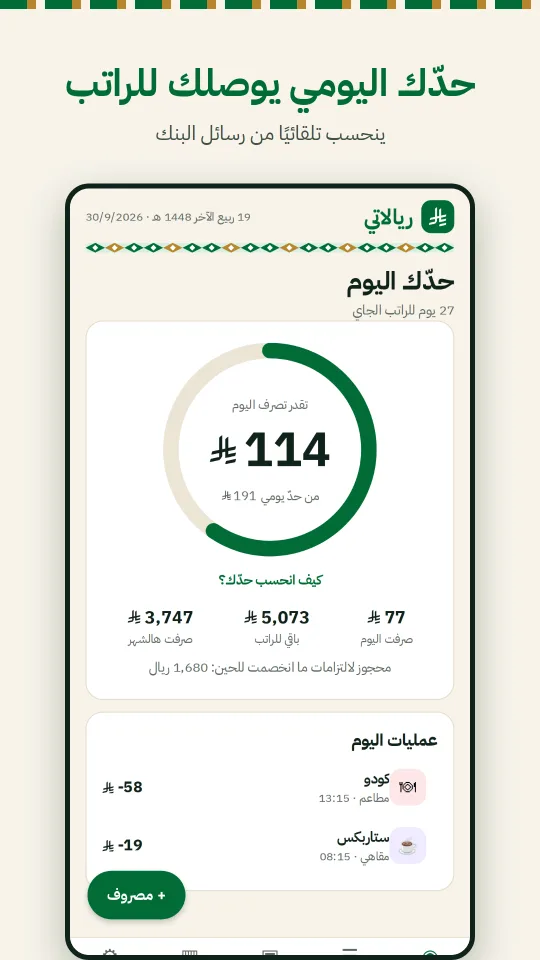
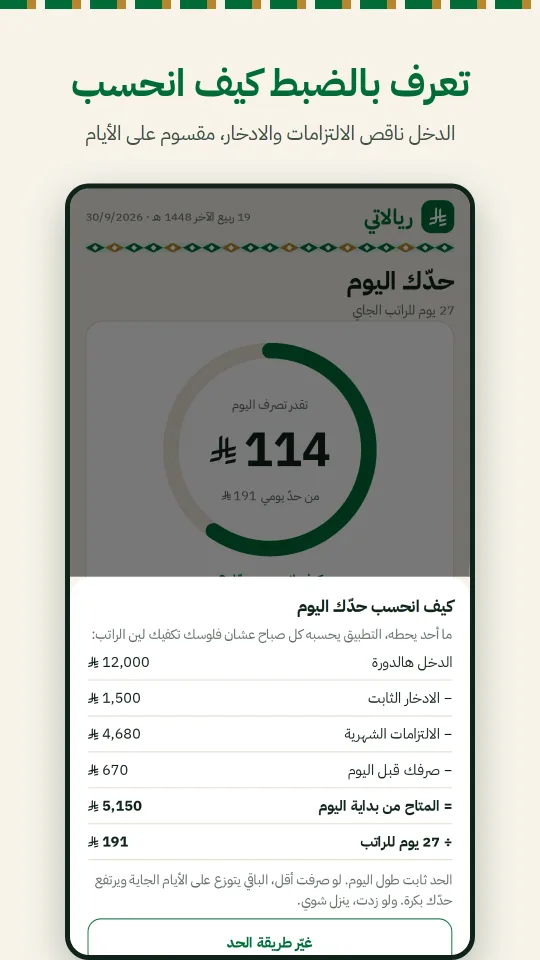
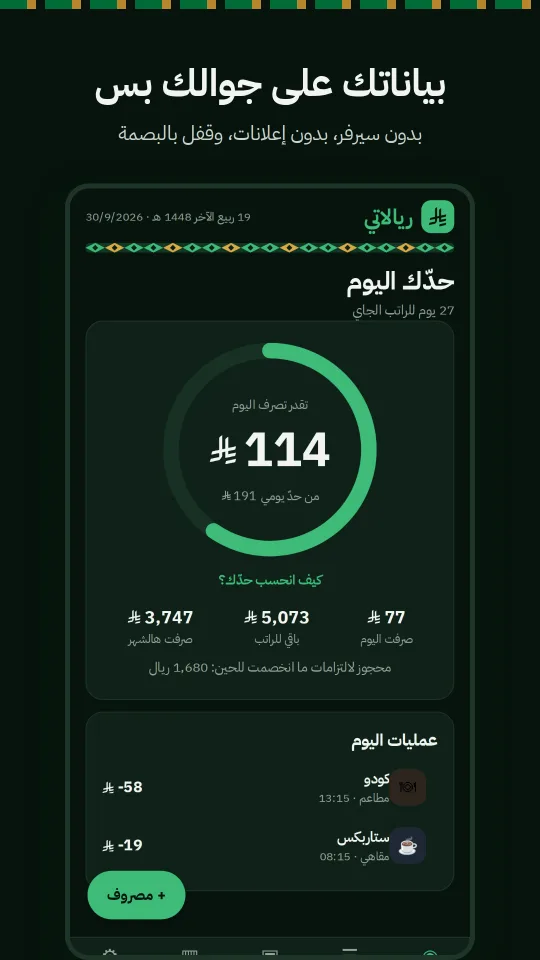
Calculated automatically from your salary and payday, or set it yourself. It adjusts as you spend.
 Beta
BetaKnow every day how much you can spend without hitting zero before payday. Riyalati takes out your commitments and savings, spreads the rest over the month and tracks your spending as you go.
Built in Arabic from day one for salaried employees in Saudi Arabia: a monthly salary, fixed commitments and daily spending.
Calculated automatically from your salary and payday, or set it yourself. It adjusts as you spend.
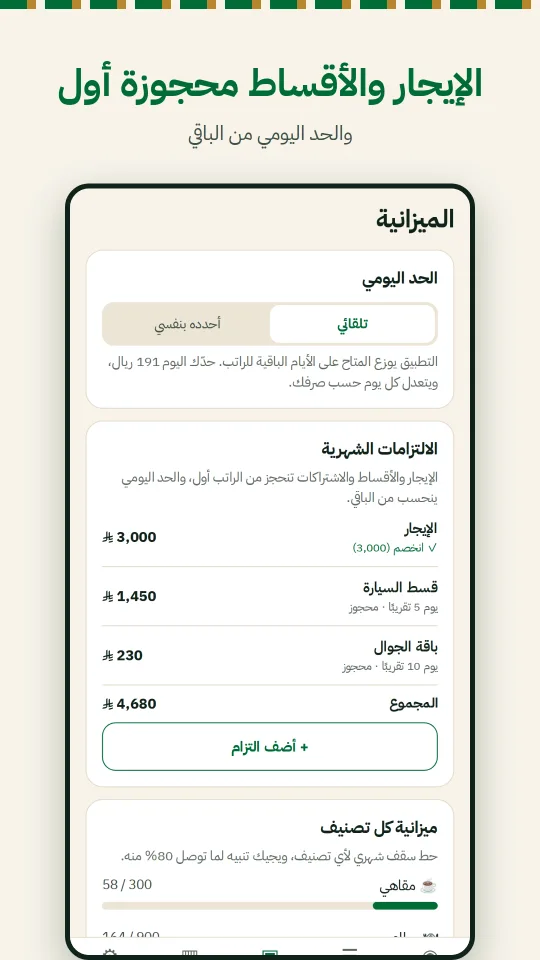
Rent, instalments and bills are reserved up front, so they never eat into your daily limit.
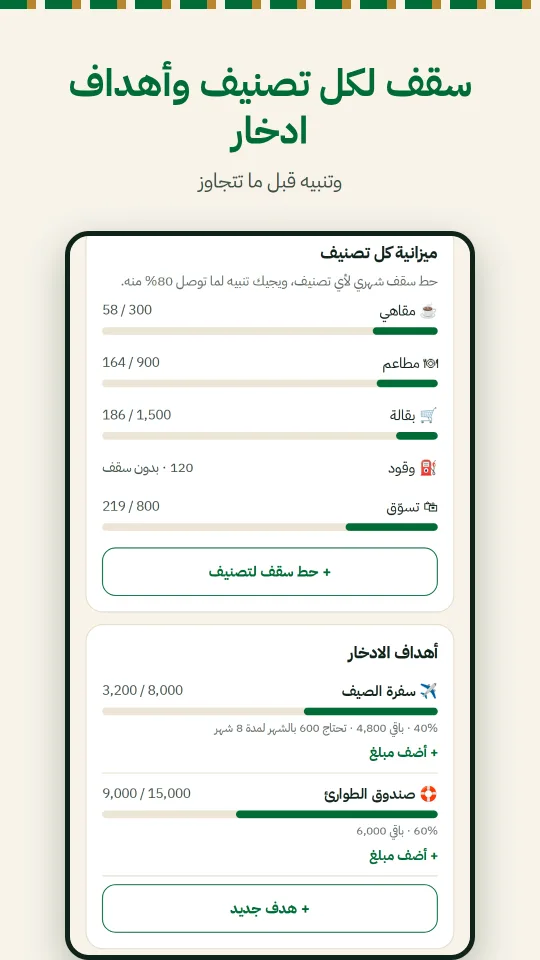
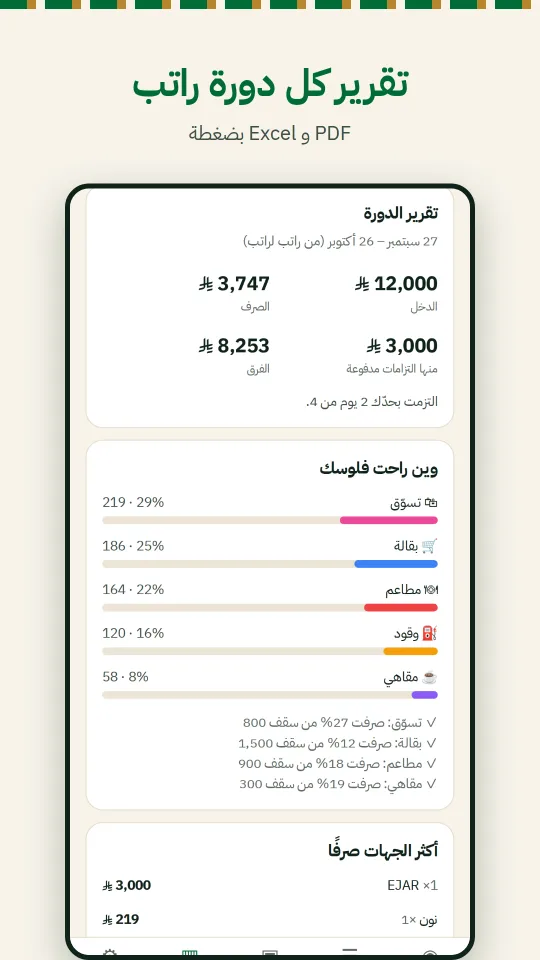
Set a cap for dining, shopping or anything else, and see how much of each you have used.
Get notified as you near your daily limit or reach 80% of a category budget, plus an optional nightly summary.
On Android it reads bank transaction messages and logs them for you; on iOS add them with the "Add bank message" shortcut.
Pick a goal and a date, and Riyalati tells you how much to put aside each month.
A summary for each salary cycle compared with the previous one, with PDF and CSV export.
Protect your financial data with fingerprint or Face ID.
Once, on first launch.
Rent, instalments, bills and a savings goal.
Riyalati logs your spending and updates the limit every day.
Your messages and transactions stay on your phone. We don't upload them to any server.
No name, email or phone number needed to use the app.
On Android it recognises bank transaction messages and ignores everything else, processed on your device.
The app is in testing now. Pick your device and follow the steps; your feedback shapes the app.
Use the same Google account for all three steps. The app can take a few minutes to appear in the store after you join.
The public iPhone link is in Apple's review. Want in now? Message us on WhatsApp or email with your Apple ID email.
Yes, completely free with no ads.
No. On Android it asks for SMS permission only to recognise bank transaction messages, ignores everything else, and processes them on your device. You can also use it without the permission and add expenses manually.
Add the transaction manually with "+ Expense", and send us a sample message with account numbers removed so we can support it.
An optional feature, off by default: when on, a shop the app doesn't recognise has only its name sent to iLatif's server to find its category (coffee, fuel, restaurants...). No amounts, messages or anything that identifies you are sent.
Export your report as PDF or CSV at any time from the report screen.
From TestFlight or Google Play, or by WhatsApp and email.